Grade a stack of quizzes in minutes
Count the wrong answers, tap the number, and the score lands in the right student's row of a real weighted gradebook.

Quick grader
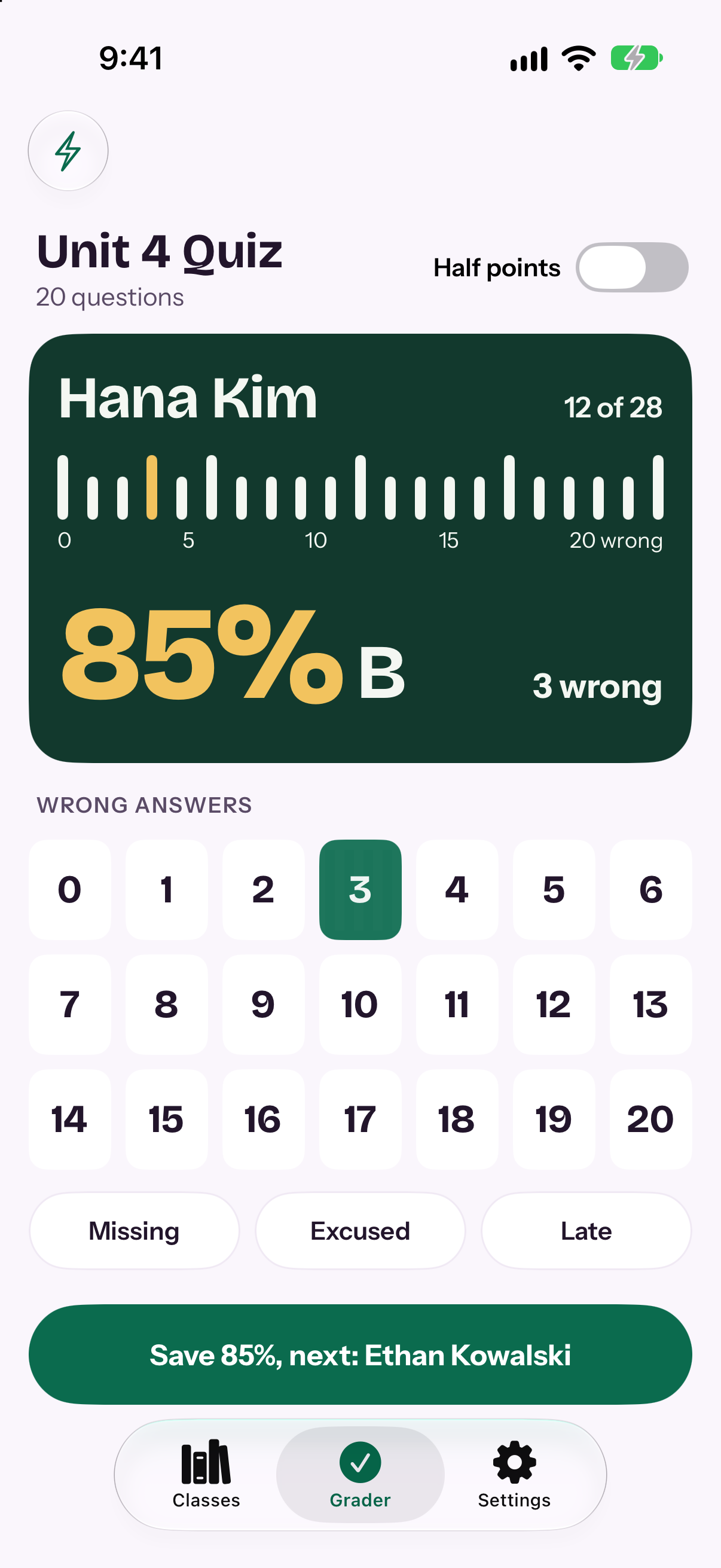
Tap the wrong answers. See the grade.
Pick the number of wrong answers and the percent and letter appear at once. One tap saves the score and brings up the next student.
- Half points when you need them
- Missing, Excused and Late in one tap
- Undo last, with the saved score shown
- A classic grading slide chart for quizzes you do not record
Maya Chen
85%B
MissingExcusedLateUndo last
Gradebook
A gradebook that does the math
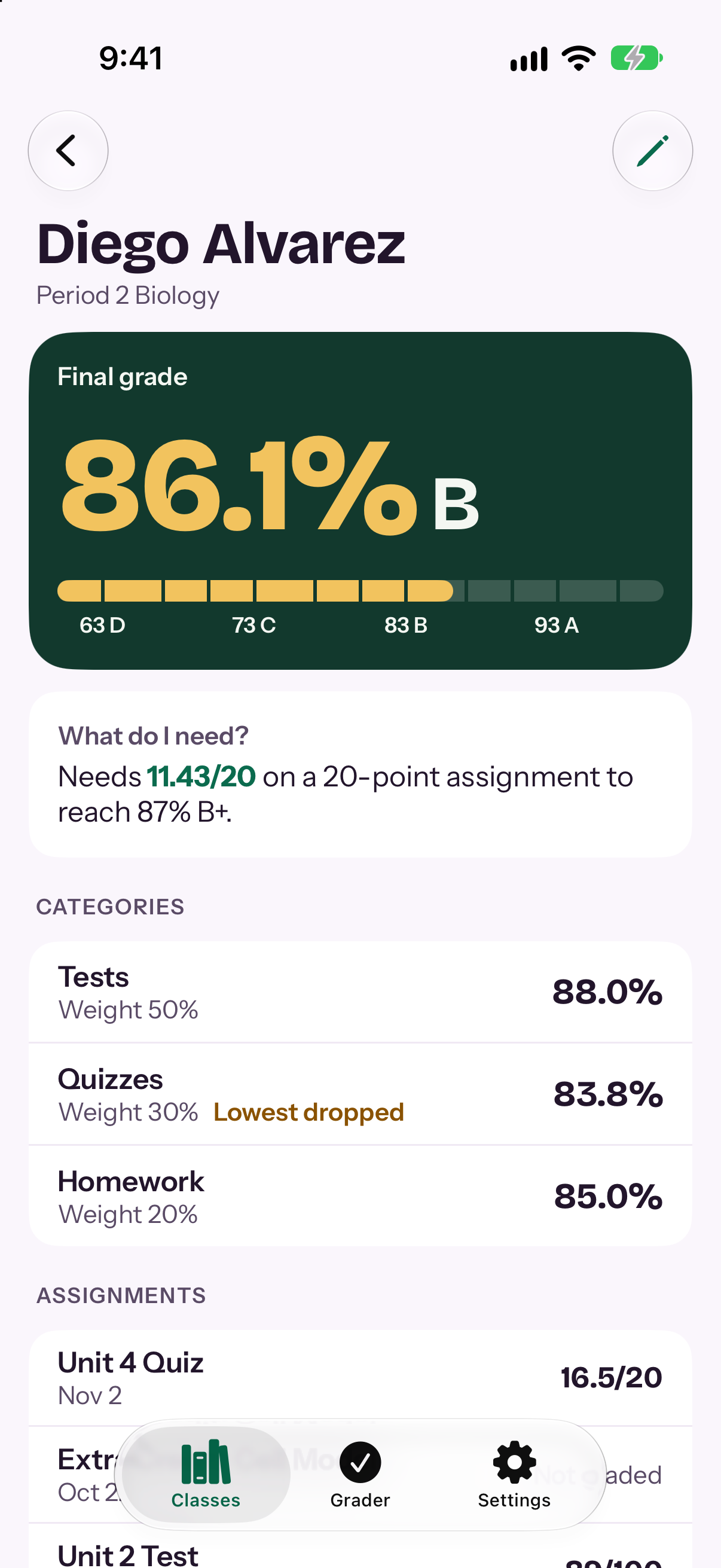
Set up weighted categories once. Slatepip keeps every student's final grade current as you grade.
- Weighted categories, with the lowest scores dropped
- Letter scales you choose
- Extra credit and late penalties
- "What do I need?" shows the score required on the next test
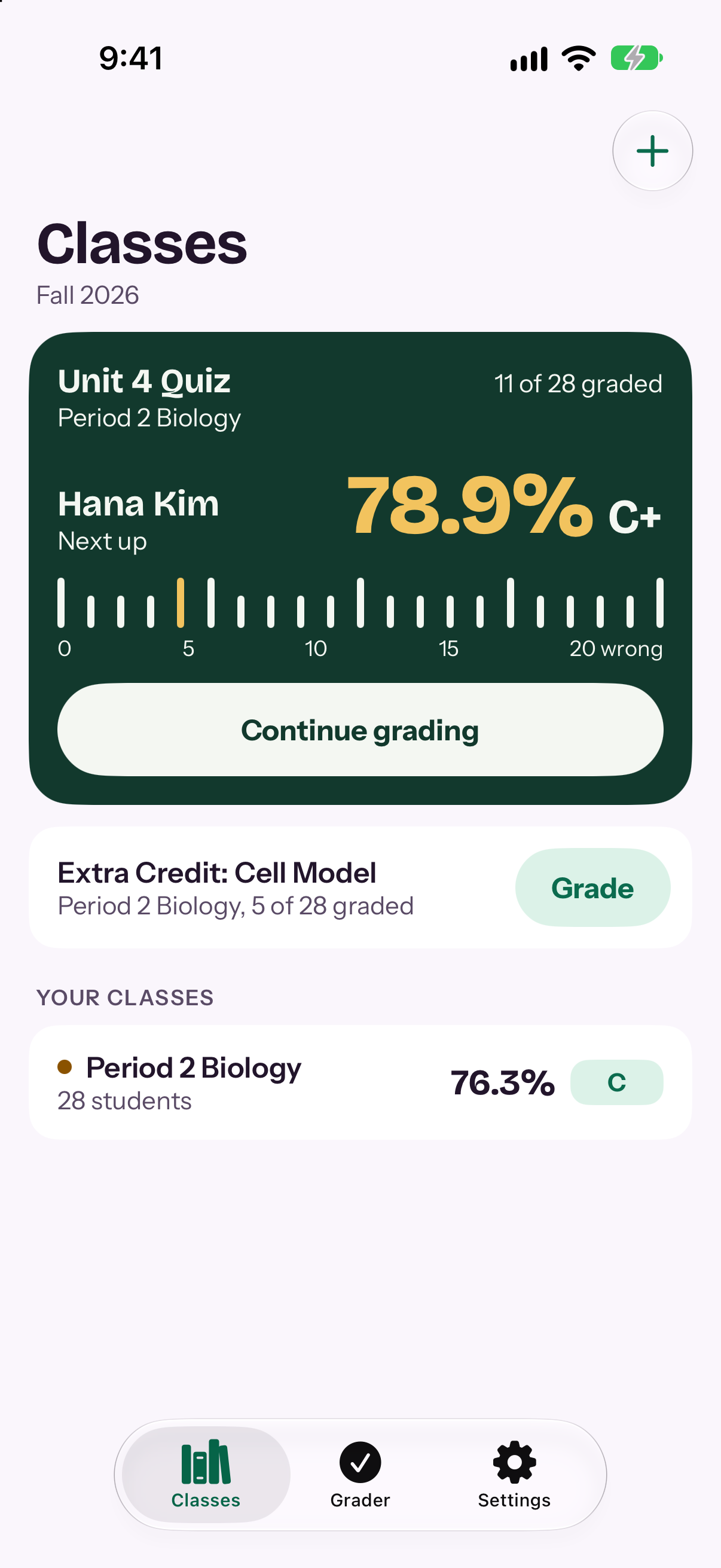
Classes
See the whole class at a glance
A To grade list at the top continues at the next ungraded student. Class averages sit below it.
- Class averages with letter grades
- Roster import from a CSV file
- CSV export for your school system
Slatepip Pro
Pro is a one-time purchase
The grader and gradebook are there from the start. Pro adds more room and more tools, and it is yours to keep.
Slatepip Pro
- Unlimited classes
- Rubric grading
- PDF student reports
- Assignment stats
- Copy a class to a new term
Privacy
No account. No ads. No tracking.
Student data stays on your devices and your private iCloud. An optional Face ID lock keeps the app closed to anyone else.